Most small businesses spend weeks evaluating a managed IT provider. They ask about uptime SLAs, response times, security posture, and pricing models. They request references. They read the contract twice.
Then those same business owners sign a 36-month merchant services agreement after a 20-minute sales call with whoever happens to be standing in front of them when their old terminal dies.
The money at stake is comparable. The contract length is often longer. A bad payment processor can do more financial damage in a single quarter than a bad MSP will do in a year: hidden fees, frozen funds, chargeback exposure nobody warned you about.
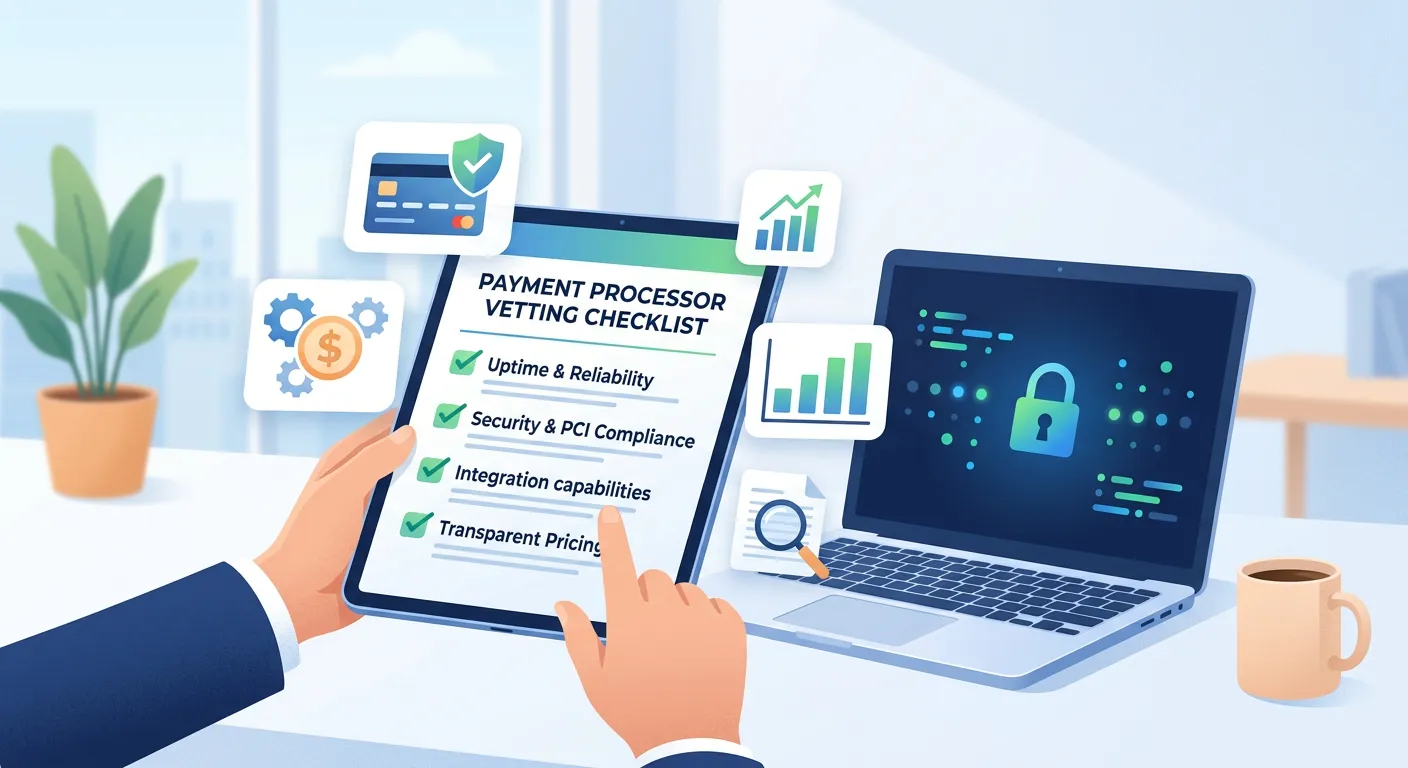
Here’s the same vendor-evaluation rigor you already apply to IT, ported to the payments side of your business. Ten questions every SMB should ask before signing.
1. How is your pricing structured?
There are three pricing models in payments, and the one you’re being sold matters more than the rate that gets quoted.
Flat-rate (Stripe, Square, PayPal) charges one blended percentage plus a per-transaction fee. Simple to understand, easy to budget. As a rough heuristic, once monthly volume passes about $10,000-$15,000, flat-rate becomes the more expensive option for most card mixes, though the crossover depends on your average ticket size and debit/rewards mix.
Tiered pricing sorts transactions into “qualified,” “mid-qualified,” and “non-qualified” buckets, each with its own rate. Looks competitive on the headline rate — the downgrades are where the margin lives.
Interchange-plus passes the actual interchange rate (the wholesale fee Visa and Mastercard set for each transaction category) to you, plus a fixed markup. Both networks publish full rate schedules (Visa, Mastercard). Statements are more complex, but every penny is itemized, and at SMB volume it’s usually the lowest true cost.
If a sales rep can’t or won’t quote you interchange-plus, that’s the answer. Move on.
2. How long is the contract, and what does it cost to leave?
Three-year contracts with $300-$500 early termination fees are still common in the traditional ISO and processor channel. Newer fintech players mostly skip them. Some contracts are worse — autorenewing terms with 90-day cancellation windows that, if missed, lock you in for another full term.
Read the cancellation clause before you read the rate sheet. Month-to-month with no termination fee is the answer you want. A 1-2 year term with a flat, reasonable cancellation cost is acceptable. Anything longer or murkier is a hard pass.
3. Where does PCI compliance actually land?
PCI DSS compliance is mandatory for any business that accepts cards — the question is how much of the work you’re personally on the hook for. The right merchant account reduces your PCI scope dramatically: tokenization, point-to-point encryption, and hosted payment forms all shift the technical compliance burden onto the processor.
Ask directly: “What’s my PCI scope after we implement your solution? Which SAQ am I filling out — A, A-EP, or D?” If the rep doesn’t know what those letters mean, you’re talking to the wrong person.
4. When does my money arrive?
“Next-day funding” is the industry standard for marketing. The fine print rarely matches the headline. Get specific: is funding next business day or next calendar day? What’s the batch cutoff time? Are weekends and holidays included?
And the bigger question underneath: does your processor hold a rolling reserve? A typical reserve might hold 5-10% of every transaction for 90 to 180 days as a buffer against future chargebacks. For a business doing $50,000 a month under a 10%/180-day reserve, that’s $30,000 of working capital sitting in the processor’s account, not yours. Ask before you sign. If the answer is “we don’t typically apply reserves to merchants in your category,” get it in writing.
5. What happens when a customer disputes a charge?
Chargebacks are inevitable — the question is whether your processor is a partner when one happens, or a passive bystander who collects a $25 fee and forwards the paperwork. A good processor notifies you immediately, provides a clear interface for submitting evidence, and tracks your chargeback ratio against network monitoring thresholds. Ask for a walkthrough of their dispute response interface before you sign.
6. What’s the actual uptime over the last 12 months?
This is the question MSP buyers ask reflexively about every IT vendor. Almost no SMB asks it about their payment processor. Ask for published uptime over the last 12 months (not their target), whether they support a backup gateway for failover, and their incident communication policy. If they can’t produce a number, they don’t measure it.
7. Will it integrate with what I already use?
Your payment processor needs to talk to your POS, accounting software, CRM, e-commerce platform, and inventory system. For each one, ask: native integration, third-party connector, or custom development required? “We integrate with everything” is not an answer — make them name names. A missing integration means staff hours spent manually reconciling between systems, every week, forever.
8. Who owns the hardware?
Card terminals come leased, rented, or purchased outright. Four-year non-cancelable terminal leases at $50/month for a $300 device were the standard in the ISO sales channel for years and still appear in the field — most often through third-party leasing companies that partner with the processor rather than the processor itself. The lease typically survives cancellation of your processing agreement, because it’s a separate contract with a separate company (the FTC has brought enforcement actions over exactly this pattern).
Buy your terminals outright when you can. Never sign a separate lease document presented as “just paperwork for the terminal.”
9. What does support look like in practice?
When something breaks at 7pm on a Saturday, who picks up the phone? Ask about 24/7 support versus business hours only, whether you get a dedicated account manager or a general queue, average response time for a tier-2 issue, and whether support is domestic, offshore, or mixed. “Submit a ticket through the portal” is not a real support model for payments — things break in real time, the same way you’d expect from any IT vendor running production infrastructure.
10. What does it cost — and what does it take — to leave?
Have the exit conversation before you sign, not after. How do you export transaction history if you cancel? Do you retain access to historical data afterward? How are recurring billing customers handled during a switch? A processor that makes leaving hard is telling you what their retention strategy actually is.
How This Fits Into Your Broader Vendor Evaluation
If you’ve already built a vendor-evaluation framework for choosing an MSP, a cybersecurity provider, or a disaster recovery partner, you have most of the muscle for this already. Payments is just another infrastructure category — long-term, mission-critical, with security and continuity implications that touch everything else in your business.
The mistake most SMBs make isn’t choosing the wrong processor. It’s not running a process at all — accepting whatever’s in front of them when the old solution stops working, then living with the consequences for three years. Run the same playbook you’d run for any other vendor of this size. The processors worth signing with are the ones who can answer all ten of these questions without hesitating.
Kaleb Dickhaut is the founder of ClickWerxs, a payments firm helping SMBs cut processing costs and choose merchant infrastructure that holds up over time.