81% of data breaches involve compromised passwords, yet many small businesses still rely on a password alone to protect their most critical systems. In today’s threat landscape, that’s a screen door protecting a vault.
Cybercriminals aren’t just targeting Fortune 500 companies — they go after small businesses precisely because they often lack robust security measures, and 43% of all cyberattacks hit small businesses specifically. A password, no matter how complex, is a single point of failure that determined attackers can and will exploit.
What Is MFA, Really?
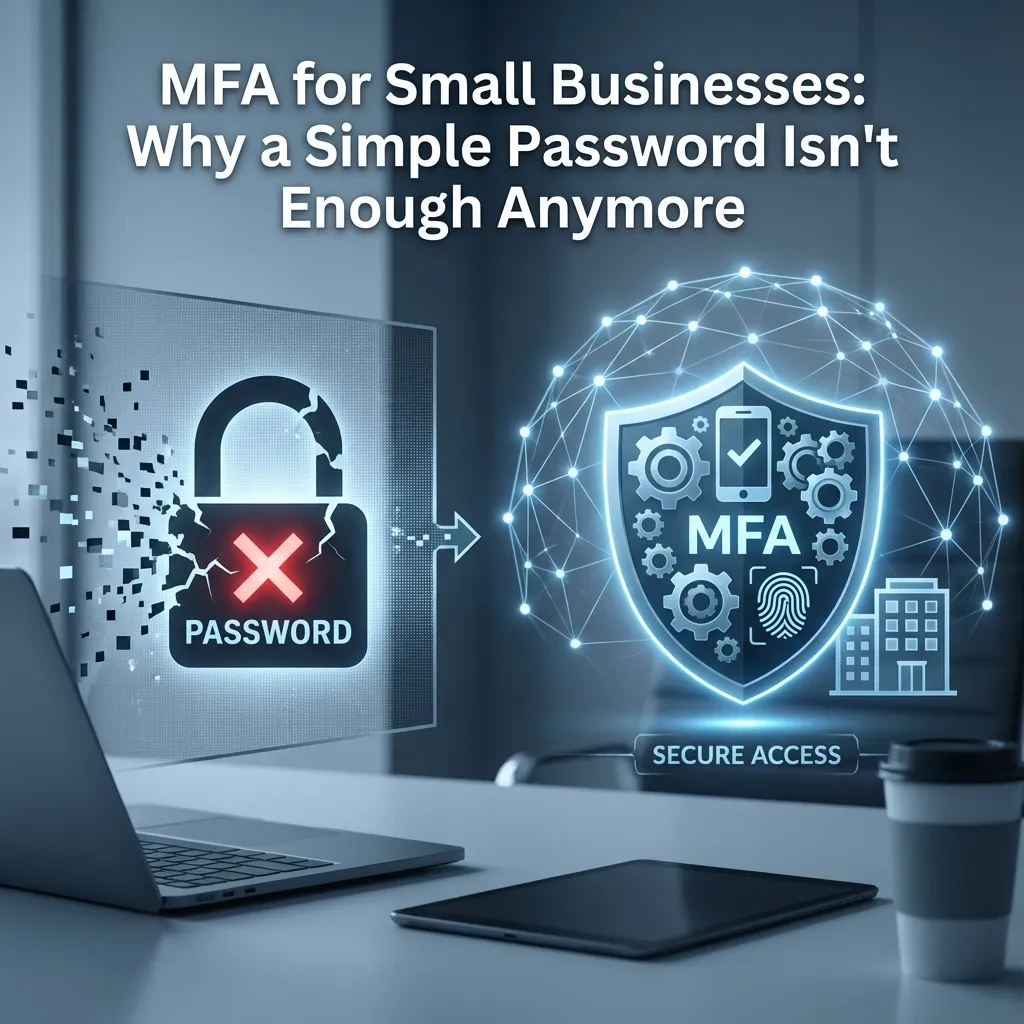
Authentication is the process of verifying someone’s identity before granting access. Passwords have traditionally done this job alone, on the theory that only you know your password. In practice, that theory has problems — which is why multi-factor authentication (MFA) adds a second (or third) requirement on top of the password, drawn from one of three categories:
- Something you know — a PIN or password
- Something you have — your phone or a hardware security key
- Something you are — a fingerprint or other biometric
If a cybercriminal steals your password and tries to log in, MFA asks for one of these additional factors — a one-time code sent to your phone, for example. Without it, they’re locked out even with a valid password in hand.
Why Passwords Alone Keep Failing
Bad password hygiene is common and dangerous. Reused passwords, weak passwords, and shared credentials are directly implicated in the majority of breaches.
Password-cracking technology has gotten absurdly powerful. Automated tools can attempt upwards of a trillion password guesses per second. An 8-character password can fall in under a day — sometimes under an hour.
Credential stuffing exploits password reuse. With over 6 billion exposed records leaked in 2021 alone, attackers systematically try known breached credentials against business applications, betting employees reused a password somewhere.
Predictable password variations don’t help. “MyCompany2024!” feels secure, but rainbow tables (precomputed databases of common password patterns) crack predictable variations in seconds — and if an employee used “MyCompany2023!” for email and “MyCompany2024!” for accounting software, one breach hands attackers a roadmap to the rest.
Why MFA Changes the Math
MFA transforms your security model from a single barrier into a layered one. Microsoft’s security research shows MFA blocks over 99% of automated, credential-based attacks — even when the attacker has a valid, correct password. A stolen password alone becomes close to useless without also compromising the second factor.
Worth noting: you’ll see the claim that MFA stops “99% of all cyberattacks” — that broader claim isn’t actually supported by data. What’s well-documented is that MFA is extremely effective specifically against credential-based attacks, which happen to be the majority of what small businesses face. It’s not a magic shield against everything, but it’s one of the highest-leverage security controls available.
How Attackers Try to Get Around MFA
MFA isn’t unbreakable, and knowing the common bypass techniques helps your team spot them:
Prompt bombing (“authentication fatigue”). Attackers flood a user’s device with authentication requests, hoping they’ll approve one out of confusion or annoyance. If you get bombarded with unexpected requests, don’t approve any — contact your IT provider immediately.
Phishing. Fake login pages that mimic legitimate services trick users into entering credentials and one-time codes in real time. Treat any unexpected authentication prompt with suspicion, and verify through a separate channel before acting.
Social engineering. Attackers manipulate employees into revealing authentication codes over the phone or via fake IT support requests, often creating false urgency. Slow down and verify — a legitimate request can wait a few minutes for confirmation.
Man-in-the-middle attacks. On public or compromised Wi-Fi, attackers can intercept authentication data in transit. Avoid sensitive logins on public networks, and use a VPN for anything that matters.
Password Managers Make MFA Practical
“MFA sounds like a hassle for my employees” is a fair concern — and a business password manager solves it. Tools like Bitwarden or 1Password generate and store a unique, 20+ character password for every account, so employees never need to remember (or reuse) anything. Modern password managers also integrate with MFA directly: auto-filling time-based codes, securely storing backup codes, and letting teams share credentials without ever exposing the actual password.
Real Attacks MFA Would Have Stopped
Business Email Compromise. Criminals gain access to a company email account, study vendor relationships and payment procedures, then impersonate an executive to redirect a payment. BEC scams cost businesses $43 billion globally from 2016-2021 — MFA on email prevents the initial account compromise that starts the whole chain.
Payroll infiltration. An attacker reuses credentials stolen from an unrelated breach to access a company’s payroll system and redirect direct deposits. MFA blocks access even with a technically “valid” password.
Remote access takeover. Leaked VPN credentials let attackers into a company network after hours to deploy ransomware. MFA on VPN access stops the stolen password from being enough on its own.
Where MFA Matters Most
Every application handling sensitive data or providing broader system access should require MFA — especially email (Microsoft 365, Google Workspace), financial software and banking portals, cloud storage, CRM and client databases, remote access tools (VPN, RDP), and administrative/domain controller panels. These are exactly the systems that, once compromised, give an attacker a path to everything else.
Rolling It Out
- Critical systems first — email, financial software, and admin accounts get MFA immediately; highest impact, least disruption.
- Deploy a password manager — this makes both unique passwords and MFA dramatically easier for employees to live with.
- Expand coverage — roll MFA out across the rest of your business applications.
- Train your team — technology only works when people use it correctly, so cover phishing recognition and proper MFA habits explicitly.
Password-only security isn’t just outdated — attackers specifically target businesses that haven’t implemented MFA, because those attacks succeed reliably. CelereTech helps small businesses implement MFA and password management that protects without adding unnecessary friction. Contact us today to talk through implementation for your business.